
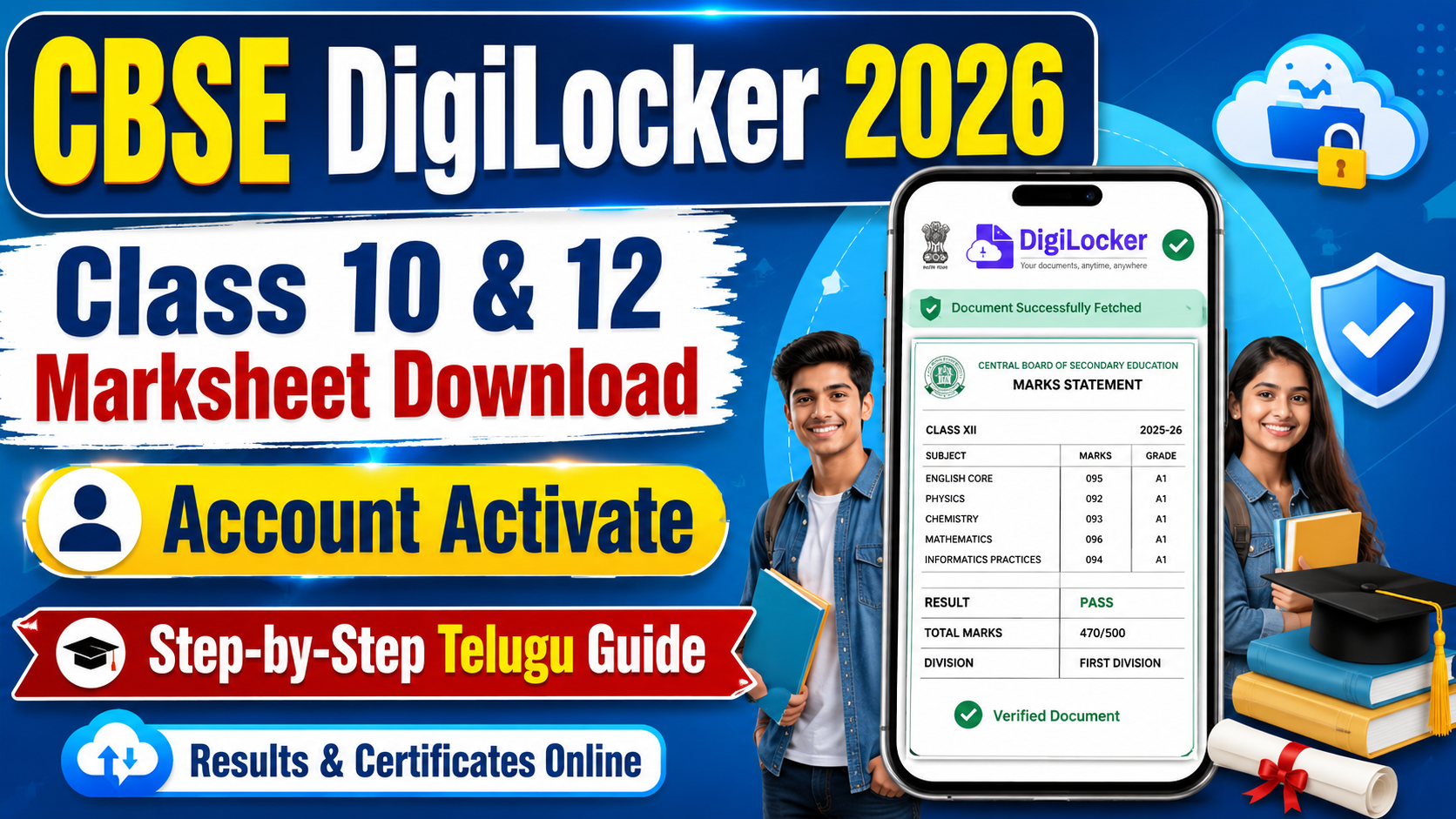
CBSE DigiLocker 2026: Class 10 & 12 Marksheet Download, Account Activation & Access Code Guide
Quick Update
CBSE DigiLocker 2026 ద్వారా Class 10 మరియు Class 12 students తమ digital marksheet, pass certificate, migration certificate వంటి academic documents onlineలో access చేయవచ్చు. CBSE results release అయిన తర్వాత students DigiLocker Issued Documents sectionలో తమ documents download చేసుకోవచ్చు.
ఈ articleలో CBSE DigiLocker account activation, 6-digit access code use చేసే process, APAAR ID linked students method, marksheet download steps, documents available, common mistakes, safety tips అన్నీ simple Teluguలో explain చేశాం.
Important Note: SwadeshNaukri.in official CBSE లేదా DigiLocker website కాదు. ఇది information purpose Telugu guide మాత్రమే. Final information కోసం students / parents తప్పనిసరిగా CBSE official website, DigiLocker official portal మరియు school authorities verify చేయాలి.
Official Source Check
| Point | Details |
|---|---|
| Board Name | Central Board of Secondary Education |
| Service | CBSE DigiLocker Academic Documents |
| Academic Year | 2025–26 |
| Class 10 Result Date | 15 April 2026 |
| Class 12 Result Date | 13 May 2026 |
| Documents Available | Marksheet, Pass Certificate, Migration Certificate if issued |
| Account Confirmation | 6-digit access code / APAAR linked DigiLocker login |
| Required Details | Roll Number, School Code, Access Code, Mobile OTP |
| Article Last Verified | 18 June 2026 |
| Website Status | Information guide only, not official CBSE/DigiLocker portal |
Instant Answer
| Question | Answer |
|---|---|
| CBSE DigiLocker 2026 useful ఏంటి? | Digital marksheet and certificates download కోసం |
| Class 10 result release అయ్యిందా? | Yes |
| Class 12 result release అయ్యిందా? | Yes |
| 6-digit access code ఎక్కడ దొరుకుతుంది? | School ద్వారా |
| Access code రాకపోతే? | School office / principal contact చేయాలి |
| Documents freeగా download అవుతాయా? | Yes, DigiLocker service free |
| Digital marksheet validనా? | DigiLocker issued document generally official digital documentగా use అవుతుంది |
| Fake links avoid చేయాలా? | Yes, only official portals use చేయాలి |
DigiLocker అంటే ఏమిటి?
DigiLocker అనేది Government of India Digital India initiativeలో భాగమైన secure digital document wallet. Students తమ academic certificates, marksheets, identity documents వంటి filesను onlineలో access, download and share చేయవచ్చు.
CBSE DigiLocker integration వల్ల students result తర్వాత marksheet, pass certificate, migration certificate వంటి documentsను school physical copy కోసం wait చేయకుండా digital formatలో access చేయగలరు.
CBSE DigiLocker 2026 Current Status
CBSE Class 10 మరియు Class 12 results 2026 release అయిన తర్వాత students DigiLockerలో documents check చేయవచ్చు. APAAR ID already CBSE recordsతో linked ఉన్న students DigiLockerలో login చేసి Issued Documents sectionలో result documents view చేయవచ్చు.
APAAR ID linked లేకపోతే students CBSE DigiLocker account confirmation process follow చేయాలి. ఈ processలో school నుంచి వచ్చిన 6-digit access code, roll number, school code and mobile OTP అవసరం అవుతాయి.
Documents Available in DigiLocker
| Document | Class 10 | Class 12 |
|---|---|---|
| Digital Marksheet | Yes | Yes |
| Pass Certificate | Yes | Yes |
| Migration Certificate | If issued | If issued |
| Provisional Certificate | If issued | If issued |
| Digital Academic Record | Yes | Yes |
Documents availability result declaration and CBSE issuing processపై depend అవుతుంది. Document వెంటనే కనిపించకపోతే కొంత time తర్వాత retry చేయాలి.
CBSE DigiLocker Account Activationకి Required Details
Activation లేదా document access కోసం ఈ details readyగా ఉంచుకోండి:
- CBSE roll number
- School code
- 6-digit access code from school
- Active mobile number
- OTP access
- Date of birth if asked
- Aadhaar / APAAR linked login if available
- CBSE admit card for reference
Access code school ద్వారా studentsకి provide చేస్తారు. Code 5 digitsగా కనిపిస్తే official instruction ప్రకారం ముందు zero add చేయాల్సి రావచ్చు.
Method 1: APAAR Linked Students కోసం
Students APAAR ID already CBSE recordsతో linked ఉంటే:
- DigiLocker official website లేదా app open చేయండి.
- Aadhaar / mobile login use చేయండి.
- OTP verify చేయండి.
- Issued Documents sectionకి వెళ్లండి.
- Central Board of Secondary Education documents search చేయండి.
- Class 10 / Class 12 Marksheet 2026 select చేయండి.
- Document open చేసి download చేసుకోండి.
Document కనిపించకపోతే 24–48 hours తర్వాత మళ్లీ check చేయండి లేదా school officeని contact చేయండి.
Method 2: 6-Digit Access Codeతో Account Confirmation
APAAR ID linked లేకపోతే students CBSE DigiLocker account confirmation process follow చేయాలి:
- CBSE DigiLocker account confirmation portal open చేయండి.
- “Get Started with Account Confirmation” option select చేయండి.
- Class X లేదా Class XII select చేయండి.
- School code enter చేయండి.
- Roll number enter చేయండి.
- School ఇచ్చిన 6-digit access code enter చేయండి.
- Details verify చేయండి.
- Active mobile number enter చేయండి.
- OTP receive చేసి verify చేయండి.
- Account confirmed అయిన తర్వాత DigiLocker accountకి continue చేయండి.
- Result declared అయ్యాక Issued Documentsలో marksheet access చేయండి.
Access code రాకపోతే third-party agentsని contact చేయకుండా school office / principalని మాత్రమే contact చేయాలి.
CBSE Marksheet Download Process
Result release అయిన తర్వాత marksheet download చేయడానికి:
- DigiLocker app లేదా official website open చేయండి.
- Registered mobile number / Aadhaar ద్వారా login చేయండి.
- OTP verify చేయండి.
- Issued Documents section open చేయండి.
- Central Board of Secondary Education select చేయండి.
- Class X Marksheet 2026 లేదా Class XII Marksheet 2026 select చేయండి.
- Required details enter చేయండి if asked.
- Marksheet open చేసి verify చేయండి.
- Download icon click చేసి PDF save చేసుకోండి.
- Admission purpose కోసం printout కూడా తీసుకోవచ్చు.
CBSE Result Portal ద్వారా Result Check
DigiLockerతో పాటు students CBSE result portalలో కూడా result check చేయవచ్చు. Result portalలో generally roll number, school number, admit card ID, date of birth వంటి details ask చేయవచ్చు.
Important: Result portalలో కనిపించే online scorecard provisional reference కోసం useful. Official digital academic document కోసం DigiLocker Issued Documents section check చేయడం better.
DigiLocker Documentsలో Check చేయాల్సిన Details
Digital marksheet / certificate open చేసిన తర్వాత ఈ details carefully verify చేయండి:
- Student name
- Roll number
- School name
- School code
- Class
- Subject names
- Subject-wise marks
- Total marks / grade
- Result status
- Certificate issue details
- QR code / digital signature if shown
Name spelling, subject marks, school detailsలో issue కనిపిస్తే school office / CBSE official process ద్వారా guidance తీసుకోవాలి.
DigiLocker Service Freeనా?
Yes. DigiLocker account creation, CBSE document access, marksheet download generally free. ఎవరైనా “₹99 marksheet download”, “fast activation fee”, “paid DigiLocker unlock” అని money అడిగితే అది fraud కావచ్చు.
Students OTP, Aadhaar details, DigiLocker login, access code strangersతో share చేయకూడదు.
Digital Marksheet Validనా?
DigiLockerలో issued documents official digital documentsగా use చేయవచ్చు. Colleges, universities, employers QR code / digital verification ద్వారా document authenticity check చేయవచ్చు.
అయితే admission timeలో కొన్ని institutions original physical certificate కూడా అడగవచ్చు. కాబట్టి school నుంచి original marksheet and certificate collect చేయడం కూడా important.
Common Problems and Solutions
| Problem | Solution |
|---|---|
| Access code రాలేదు | School office / principal contact చేయండి |
| 5-digit access code ఉంది | ముందు 0 add చేసి try చేయండి if official instruction says |
| OTP రావడం లేదు | Mobile network check చేసి retry చేయండి |
| Wrong school code | Admit cardలో school code verify చేయండి |
| Marksheet కనిపించడం లేదు | 24–48 hours తర్వాత retry చేయండి |
| DigiLocker login issue | Forgot PIN / mobile OTP option use చేయండి |
| Name mismatch | School office ద్వారా correction guidance తీసుకోండి |
| Fake app confusion | Only official DigiLocker app / website use చేయండి |
Result తర్వాత Students చేయాల్సిన Checklist
- DigiLocker account activate చేయండి
- Marksheet download చేయండి
- Pass certificate check చేయండి
- Migration certificate available ఉందా verify చేయండి
- PDF backup Google Drive / safe folderలో save చేయండి
- Printout తీసుకోండి if admission needs
- Original certificate school నుంచి collect చేయండి
- Details mismatch ఉంటే immediately schoolకి report చేయండి
- Admission / scholarship deadlines follow చేయండి
- Fake links avoid చేయండి
Class 10 Studentsకి Next Steps
Class 10 students result తర్వాత:
- Class 11 stream selection plan చేయండి
- Science / Commerce / Arts / Vocational options compare చేయండి
- School admission dates follow చేయండి
- DigiLocker marksheet backup save చేసుకోండి
- Improvement / second board exam rules official updates ద్వారా verify చేయండి
- Parents / teachers guidance తీసుకోండి
Stream selection marks ఆధారంగా మాత్రమే కాకుండా interest, long-term career goal, subject comfort ఆధారంగా చేయాలి.
Class 12 Studentsకి Next Steps
Class 12 students result తర్వాత:
- College admission dates follow చేయండి
- Entrance exam counselling schedule check చేయండి
- DigiLocker marksheet and pass certificate download చేయండి
- Migration certificate if required ready పెట్టుకోండి
- Category / income / domicile documents prepare చేయండి
- Supplementary / improvement exam rules official notice ద్వారా verify చేయండి
- Career counselling అవసరమైతే school / college counsellorతో మాట్లాడండి
Safety Warning
Students and parents ఈ red flags జాగ్రత్తగా గుర్తుంచుకోవాలి:
- “Marksheet download for ₹99” apps
- Fake CBSE result links
- WhatsApp forwarded result websites
- Aadhaar OTP అడిగే unknown callers
- Access code అడిగే strangers
- “Marks increase guarantee” messages
- Fake DigiLocker apps
- Unofficial payment links
- Edited marksheet PDFs
Official DigiLocker, CBSE result portal, CBSE website, school office మాత్రమే follow చేయాలి.
Common Mistakes to Avoid
- Wrong roll number enter చేయడం
- School code verify చేయకపోవడం
- Access code othersతో share చేయడం
- Inactive mobile number use చేయడం
- OTP strangersకి చెప్పడం
- Result screenshotనే final documentగా use చేయడం
- PDF backup save చేయకపోవడం
- Original marksheet collect చేయడం delay చేయడం
- Fake result apps install చేయడం
- Admission deadline miss చేయడం
Mental Health Note
Results important, కానీ marks student valueని define చేయవు. Expected marks రాకపోయినా improvement, second board, supplementary, diploma, skill courses, open schooling, different college routes వంటి options ఉంటాయి.
Parents studentsను compare చేయకుండా support చేయాలి. Stress ఎక్కువగా ఉంటే trusted teacher, parent, counsellor లేదా mental health professionalతో మాట్లాడాలి.
FAQs
1. CBSE DigiLocker 2026 ఎందుకు అవసరం?
CBSE marksheet, pass certificate, migration certificate వంటి digital academic documents access చేయడానికి DigiLocker useful.
2. 6-digit access code ఎక్కడ దొరుకుతుంది?
Access code school ద్వారా studentsకి provide చేస్తారు. రాకపోతే school office / principalని contact చేయాలి.
3. APAAR ID linked ఉంటే access code అవసరమా?
APAAR ID CBSE recordsతో linked ఉంటే DigiLocker Issued Documents sectionలో documents directగా కనిపించవచ్చు. Issue ఉంటే school guidance తీసుకోవాలి.
4. DigiLocker marksheet download freeనా?
Yes. DigiLocker account creation and document download generally free.
5. CBSE Class 10 result 2026 release అయ్యిందా?
Yes. CBSE Class 10 result 2026 release అయ్యింది.
6. CBSE Class 12 result 2026 release అయ్యిందా?
Yes. CBSE Class 12 result 2026 release అయ్యింది.
7. DigiLocker marksheet college admissionsకి validనా?
DigiLocker issued document generally official digital documentగా use అవుతుంది. కానీ college-specific rules కూడా verify చేయాలి.
8. Marksheet DigiLockerలో కనిపించకపోతే ఏం చేయాలి?
కొంత time తర్వాత retry చేయండి. Still issue ఉంటే school office / DigiLocker support / official process follow చేయండి.
9. Mobile number change అయితే?
DigiLocker profile settingsలో mobile number update option check చేయాలి. Login issue ఉంటే official support process follow చేయాలి.
10. SwadeshNaukri.in official CBSE websiteనా?
కాదు. SwadeshNaukri.in information purpose Telugu education guide website మాత్రమే. Final updates కోసం CBSE, DigiLocker and school authorities verify చేయాలి.
Conclusion
CBSE DigiLocker 2026 studentsకి marksheet, pass certificate, migration certificate వంటి important academic documents onlineలో safeగా access చేయడానికి useful. Result release అయిన తర్వాత students DigiLocker Issued Documents sectionలో documents download చేసుకొని admission, scholarship and future applications కోసం safe backupగా ఉంచుకోవాలి.
Students official portals మాత్రమే use చేయాలి. Access code, OTP, Aadhaar details strangersతో share చేయకూడదు. Documentలో mistake ఉంటే school authorities ద్వారా official correction process follow చేయాలి.
Disclaimer
ఈ article SwadeshNaukri.in ద్వారా information purpose కోసం publish చేయబడింది. SwadeshNaukri.in official CBSE, DigiLocker, MeitY లేదా government portal కాదు.
CBSE DigiLocker 2026 activation, access code, marksheet download, result documents, pass certificate, migration certificate, supplementary / improvement rules and admission use finalగా follow చేయడానికి ముందు CBSE official website, DigiLocker official portal and school authorities verify చేయండి.
ఏదైనా fake website, wrong link, missed deadline, document error, admission mistake, payment issue, OTP fraud, access code misuse లేదా third-party fraudకి SwadeshNaukri.in responsible కాదు.
Article last verified: 18 June 2026.
About the Author
Swadesh Naukri Editorial Team verifies job, admit card, result and education updates from official portals, board notices and trusted public sources before publishing Telugu guides for students and candidates.
Last Reviewed
18 June 2026 by Swadesh Naukri Editorial Team.
Corrections Policy
ఈ articleలో ఏదైనా incorrect information కనిపిస్తే contact page ద్వారా తెలియజేయండి. మేము official source verify చేసి అవసరమైతే update చేస్తాం.
